
Why Choose ExtractFromImg.com Instead of ImageToText.info
A direct comparison of ExtractFromImg.com and ImageToText.info, focused on structured OCR, formulas, tables, and Markdown output.
If you are a free user deciding where to start, ExtractFromImg is the better default choice. The reason is simple: you get more useful capabilities immediately, not just a basic text dump from an image.
ImageToText.info is a reasonable option for basic OCR. Its public homepage presents two paths: Simple OCR for plain text and Formatted Text for tables, lists, and headings. But if your goal is to get the most value without paying first, ExtractFromImg.com gives you a broader free workflow from the start.
Instead of treating OCR as plain text first and structure second, ExtractFromImg.com is built around structured Markdown output from the beginning. That means free users can work with text, formulas, tables, headings, and lists in one readable result, with much less cleanup afterward.
1. We preserve structure, not just words
Many OCR tools focus on extracting characters first. That works well for a short screenshot, a receipt, or a simple note. But for lecture slides, textbook pages, scanned reports, or research material, text alone is not enough because the document structure also matters.
With ExtractFromImg.com, the goal is not only to recover the words. It is to keep the reading flow:
- headings stay headings
- bullet points stay lists
- tables stay tables
- formulas stay formulas
- mixed-content pages remain readable
That difference matters because real documents are rarely just plain paragraphs.
2. Markdown makes the result more useful immediately
The biggest difference is what happens after OCR.
On ExtractFromImg.com, the extracted result is generated as Markdown and rendered back into a readable preview. You are not forced to work with a dead text dump. You get a structured result that is ready to inspect, reuse, and export.
That means you can:
- copy the Markdown directly
- preview the formatted result before using it
- download the output as
.md - export it as
.docx - export table-heavy content as
.xlsx
This is a better workflow for people who actually need to do something with the result afterward, especially in Notion, Obsidian, GitHub, Word, or Excel.
3. Formulas are first-class content
This is one of the clearest reasons to choose ExtractFromImg.com over ImageToText.info.
If you work with academic screenshots, textbook pages, whiteboard photos, or scientific documents, plain OCR is not enough. You need formulas to survive extraction in a usable form.
ExtractFromImg.com is built to detect formulas and render them in a Markdown-based workflow with LaTeX support. That makes it much more suitable for:
- math homework
- physics notes
- engineering documents
- economics formulas
- scientific papers
If your image contains both normal text and equations, you should not have to rebuild the math manually after OCR. Our tool is designed to reduce that cleanup work.
4. Tables stay structured instead of becoming cleanup work
A lot of OCR tools can technically detect a table but still leave you with something messy. Columns collapse. Rows lose alignment. Labels drift out of place. The data is extracted, but not really usable.
ExtractFromImg.com is designed to keep tables in a structured Markdown form, which makes the result easier to review and much easier to move into a spreadsheet later.
That is especially useful for:
- scanned reports
- financial statements
- class schedules
- research tables
- operational records
If your real goal is analysis, not just copying text into a textbox, this saves time quickly.
5. The result looks closer to the original image
Markdown is not just a technical export format here. It improves readability.
Because ExtractFromImg.com renders headings, lists, tables, and formulas in a clean preview, the output looks much closer to the structure of the original image. You can review it faster and catch mistakes earlier.
Compared with a plain OCR textarea, this feels closer to a reconstructed document than a raw extraction dump.
Why start with ExtractFromImg
ExtractFromImg result

ImageToText.info result
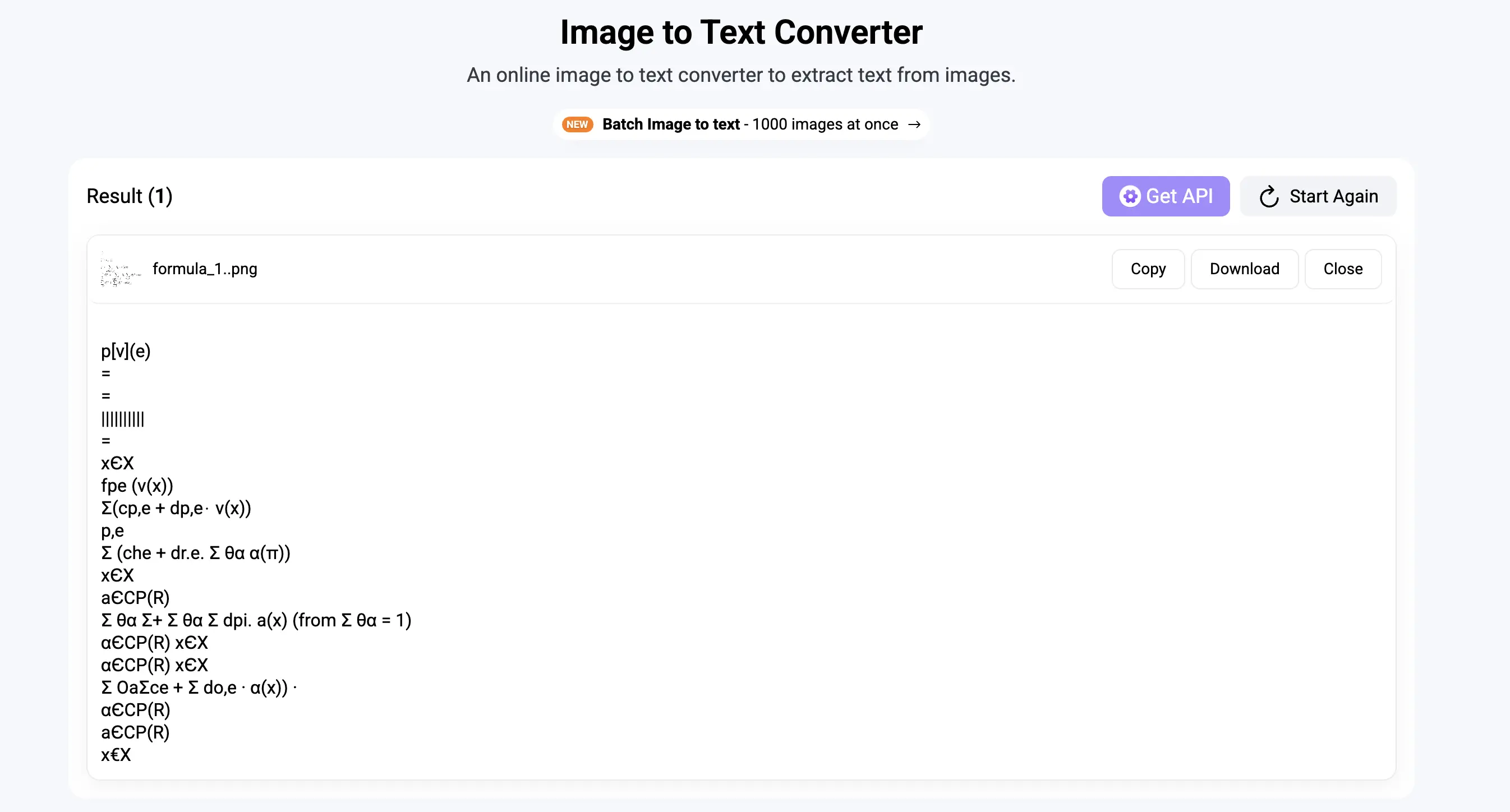
These examples make the difference more concrete right away: both tools can extract content, but ExtractFromImg keeps the result much closer to the original document structure and easier to read at a glance.
If ImageToText.info can handle basic OCR, ExtractFromImg.com can do that too. The difference is that ExtractFromImg.com gives free users more to work with from the beginning, including better support for structured output, tables, formulas, and Markdown-based rendering.
That means you do not need to start with a simpler tool and switch later when your needs become more complex. You can start with ExtractFromImg.com right away and get both basic OCR and more advanced document extraction in one place.
Final take
The simplest way to think about it is this: if you only want basic OCR, ExtractFromImg.com already covers that. But unlike ImageToText.info, it also gives you more useful capabilities beyond plain text.
So for free users, the better choice is to go straight to ExtractFromImg.com. You get everything you would expect from a basic image-to-text tool, plus more features that make the output easier to read, reuse, and keep closer to the original document.