
Markdown to Word
Paste or upload your Markdown and convert it to a beautifully formatted Word document — all in your browser, no server needed.
Why Use Our Markdown to Word Converter?
Browser-Based
Everything runs locally in your browser. Your text never leaves your device.
Rich Formatting
Headings, tables, lists, bold, italic, code blocks — all converted to proper Word styles.
Instant Download
Get your .docx file in seconds. No signup, no email, no watermarks.
Why convert instead of pasting straight into Word
Word does not read Markdown. Paste a .md file into a Word document and you get the source character for character: a hash in front of every heading, double asterisks around every bold phrase, and pipe characters holding each table together. Nothing is interpreted — Word treats it all as plain text with unusual punctuation.
The usual workaround is to retype the document, or to paste it and spend twenty minutes deleting hashes and rebuilding tables by hand. Converting first hands Word a file it already understands, with the structure carried over instead of lost.
- Headings map to Word’s built-in Heading 1–6 styles, so the navigation pane and any auto-generated table of contents work.
- Pipe tables become real Word tables with borders and header rows, not tab-separated text.
- Bold, italic and inline code keep their character formatting.
- Ordered and unordered lists keep their numbering and indentation.
- Code blocks stay monospaced with their line breaks intact.
What the finished .docx looks like
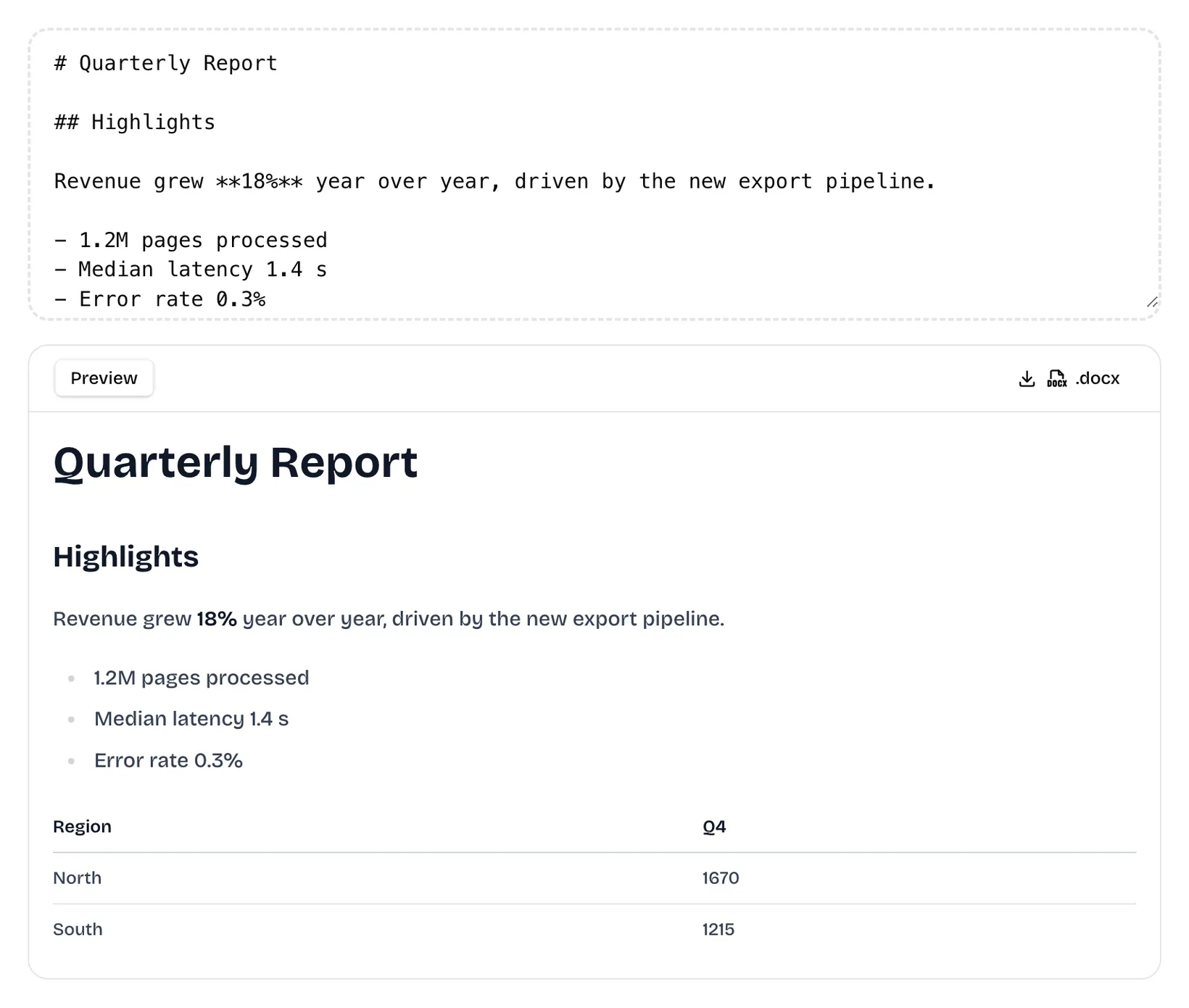
The preview on this page and the generated file use the same styles, so what you see before downloading is what opens in Word. The screenshot below is a single run — a report fragment with a heading, a bolded phrase, a bullet list and a table, converted in the browser in under a second.
Nothing is uploaded. Parsing and file generation both run in a client-side library, so once the page has loaded the tool also works when the network drops — which matters when the document is confidential.
How to Convert Markdown to Word
- 1Paste your Markdown text into the editor above, or drag and drop a .md file.
- 2Preview the formatted result in the Preview tab below.
- 3Click "Convert to Word (.docx)" to generate and download your Word document.
- 4Open the downloaded file in Microsoft Word, Google Docs, or any compatible editor.
Frequently Asked Questions
What Markdown features are supported?
We support headings (H1-H6), bold, italic, inline code, code blocks, bullet lists, numbered lists, blockquotes, horizontal rules, and GFM tables.
Is this tool free to use?
Yes, the Markdown to Word converter is completely free. No account or payment required.
Is my data processed on the server?
No. The conversion happens entirely in your browser. Your Markdown text never leaves your device.
Can I use this with OCR results?
Absolutely! After extracting text from an image, you can click the .docx export button directly, or copy the Markdown here for conversion.
What Word formatting is applied?
The generated .docx includes proper heading styles, formatted tables with borders, bullet and numbered lists, blockquote indentation, and monospace code blocks.